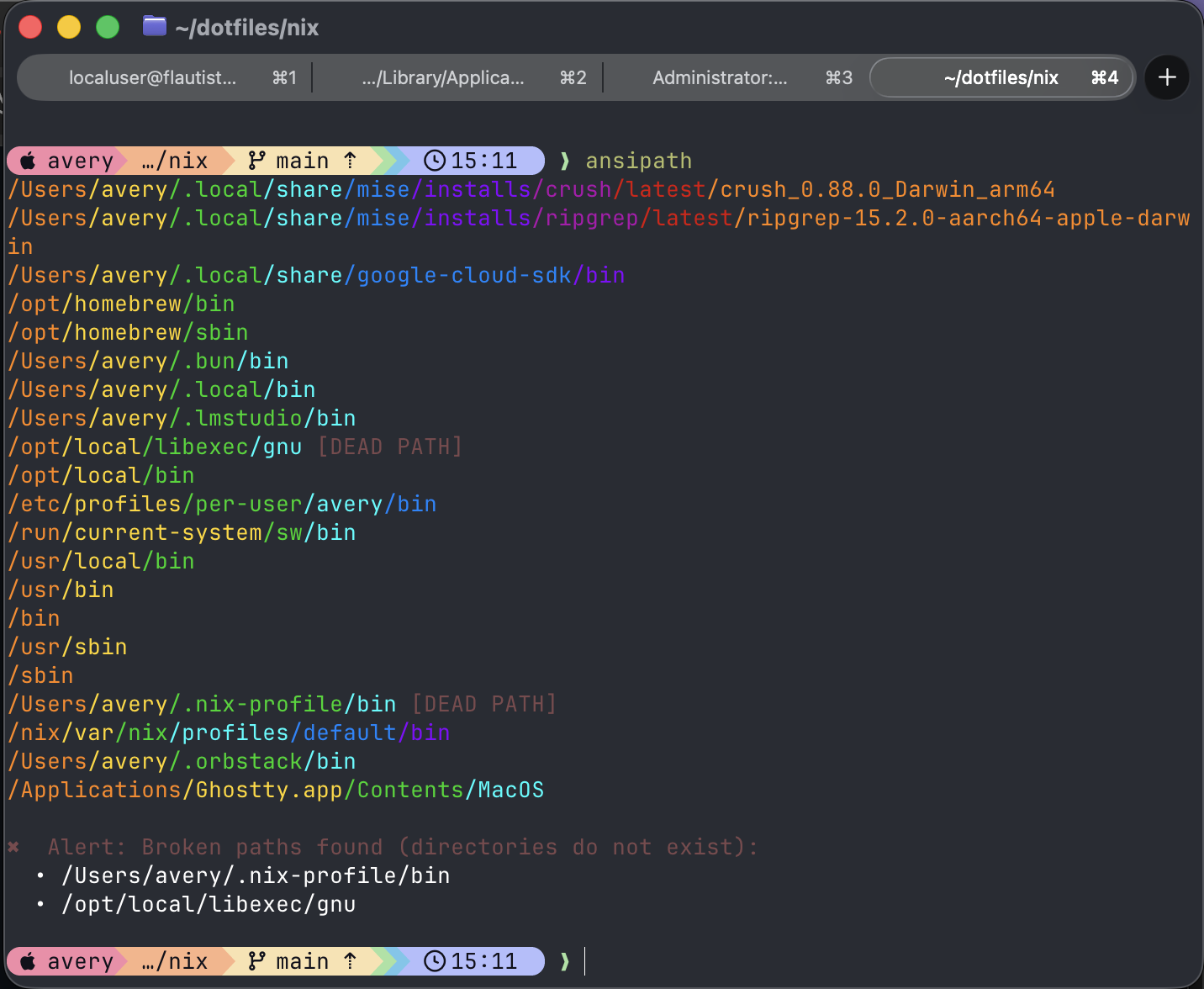
ansipath 🌈
ansipath makes $PATH legible: each entry is printed on its own line with
colors based on directory depth, duplicate entries are highlighted, and dead
directories are called out.
Features
- A portable Go binary with no runtime dependencies.
- Colorized
$PATHoutput and duplicate/dead-path diagnostics. - Palette switching stored under
$XDG_STATE_HOME/ansipath(or$HOME/.local/state/ansipath). - Bash and Zsh
pathmungeandwhichhelpers. - Shell-init rewriting for
.bashrc,.bash_profile,.profile,.zprofile, and.zshrc.
Quick start
go build -trimpath -o ansipath .
./ansipath install
ansipath
For a system installation, use sudo ./ansipath install. The installer uses
SUDO_USER to update that user’s shell files while installing the binary under
/usr/bin.
Commands
ansipath                 # render the current PATH
ansipath --help          # show all commands
ansipath palette list    # list palettes
ansipath palette dracula # select a palette
ansipath remove-dupes    # clean shell-init PATH assignments
ansipath remove-dupes --env
remove-dupes prints an audit trail and asks Undo? N/y; answering y
restores the original shell files. To clean the current shell as well, run:
eval "$(ansipath remove-dupes --env)"
The --env form emits sourceable removal commands and ends with an explicit
cleaned export. That final export is copied automatically when a supported
clipboard utility is available.