CLI reference
Basic use
Section titled “Basic use”dfrsdfrs /var/log /Usersdfrs --local --human-readableWith no path arguments, dfrs reports visible capacity-bearing mounts. With path arguments, it selects the deepest matching mount for each canonicalized path.
See it in action
Section titled “See it in action”The recordings below use tests/fixtures/mounts.txt so their output stays
stable across machines. Omit --mounts tests/fixtures/mounts.txt to use the
native mount provider on your system.
Default filtering and broader visibility
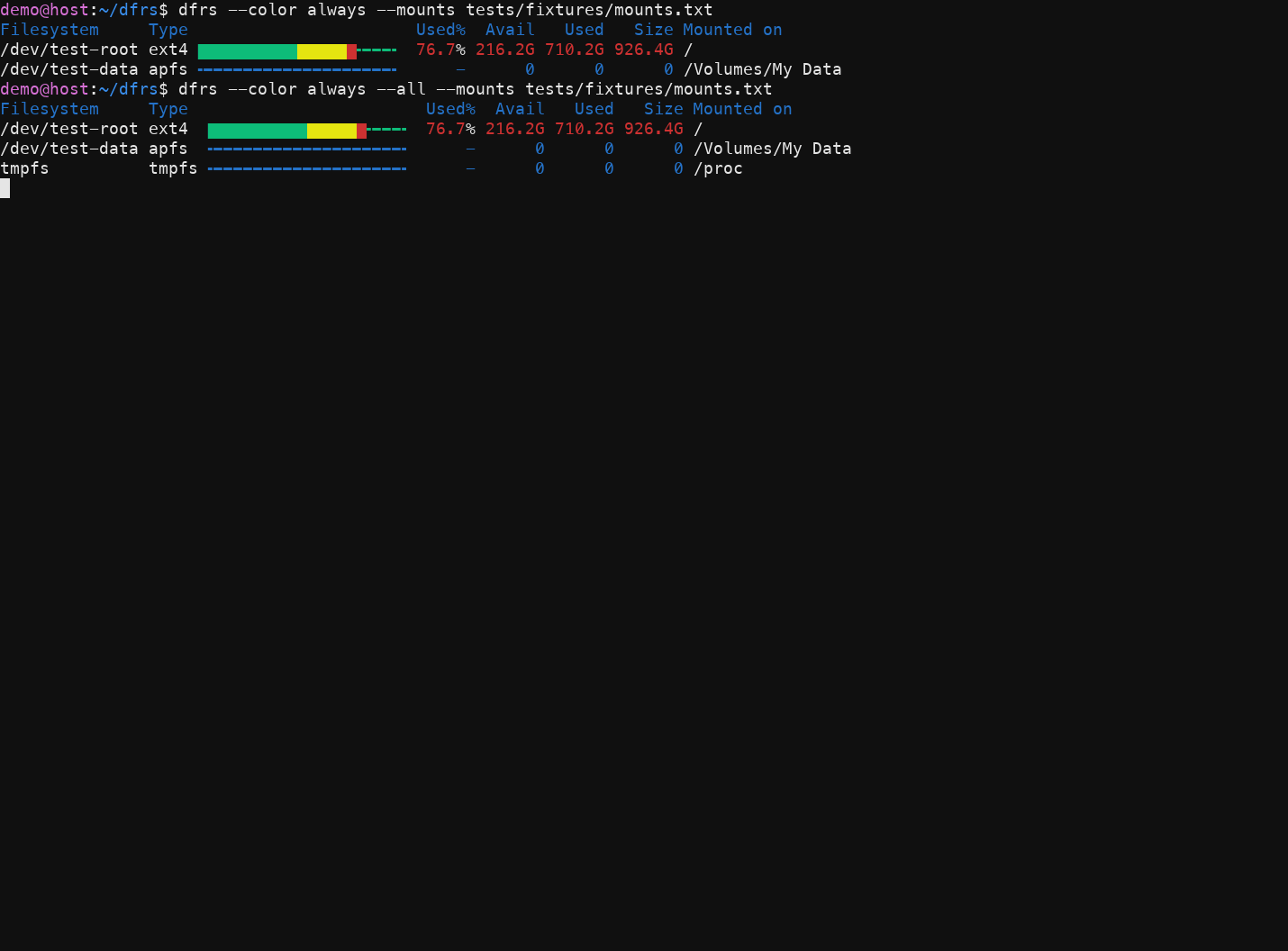
Section titled “Default filtering and broader visibility”dfrs --color always --mounts tests/fixtures/mounts.txtdfrs --color always --all --mounts tests/fixtures/mounts.txtThe first command shows the concise capacity-bearing view; --all also keeps
pseudo mounts such as tmpfs in the report.
Custom output columns
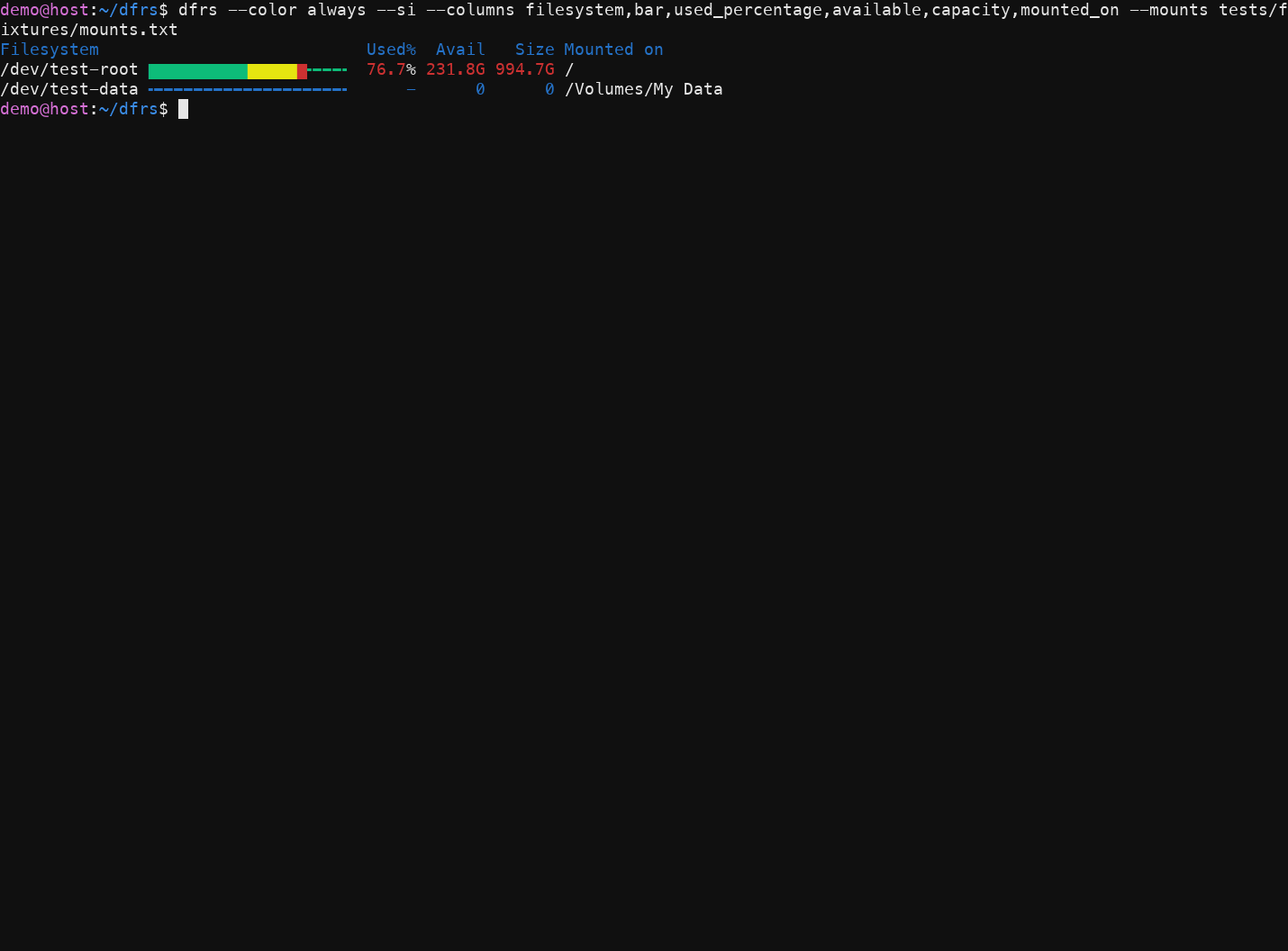
Section titled “Custom output columns”dfrs --color always --si \ --columns filesystem,bar,used_percentage,available,capacity,mounted_on \ --mounts tests/fixtures/mounts.txtUse --columns to keep the report focused, and --si when decimal units are
more useful than powers of 1024.
Visibility
Section titled “Visibility”-a/--morebroadens the listing; repeat-aor use--allto include pseudo filesystems when no group selector is set.- The default hides runtime pseudo mounts such as
proc,sysfs,tmpfs, anddevfs, plus loop-backed squashfs mounts such as snaps and AppImages, while retaining capacity-bearing APFS, ZFS, ext4, btrfs, and other filesystems. -l/--localremoves known remote filesystem types.-x /dev/loop0,/mnt/private/--excluderemoves exact source names and descendant device paths, or exact mount paths and their descendants. Repeat the option to add more criteria. Space-separated lists stop at the next option; put positional path targets before filter options or after--.-n/--no-virtualhides pseudo,overlay/aufs, and loop-backed squashfs mounts in every display mode.--snapsselects all squashfs mounts, including AppImages;--tmpfsselects tmpfs mounts. Combining these group options unions their results.--dev nvme0n1selects filesystems mounted from that Linux device and its partition/device-mapper descendants. A volume-group name selects its logical volumes;--dev mapperselects mounteddm-Nfilesystems. macOS matches ordinary device sources directly because it does not expose Linux block topology; the reservedmapperselector is Linux-only.-u/--unmountedadds Linux block-device rows that have no displayed mounted filesystem row. They show device type and total capacity; usage columns are placeholders. This option cannot be combined with--inodes. With--dev vg --unmounted, matching unmounted logical volumes are included.--totalsums filesystem rows only.
Group selectors union together and take precedence over --more/--all.
Explicit exclusions and --no-virtual still apply to their results.
Themes
Section titled “Themes”dfrs --choose-themedfrs --choose-theme --forceUse the left/right arrows to preview palettes, Enter to save, and Esc to abort.
The saved theme ID is read by normal dfrs runs from
$XDG_CONFIG_HOME/dfrs/theme.json, or $HOME/.config/dfrs/theme.json when
XDG_CONFIG_HOME is unset. An existing file requires --force before the
chooser starts.
Formatting
Section titled “Formatting”-h/--human-readableuses powers of 1024.-H/--siuses powers of 1000.-i/--inodesreports inode capacity instead of byte capacity.--columns filesystem,type,bar,used_percentage,available,used,capacity,mounted_onselects the table columns.--color auto|always|neverand-ccontrol terminal color behavior.
Mount discovery
Section titled “Mount discovery”dfrs --mounts ./tests/fixtures/mounts.txt --all--mounts FILE is an explicit override. Mount-file fields follow the Linux
format and decode octal escapes such as \040 for a space. Without the
override, macOS uses getmntinfo(3) and Linux reads /proc/self/mounts.
Other commands
Section titled “Other commands”dfrs completions bash > ~/.local/share/bash-completion/completions/dfrsdfrs --helpdfrs --version